Know where they stand.
Membership coverage, validity, remaining requirements and retained signed documents.
The Members app
Give archers and families one place to manage membership, find activities, book coaching, enter competitions, follow their progress and buy from the club. Connected to the Admin system, with an experience built for the people taking part.
Phones, tablets and PCs · Add to your home screen on supported devices
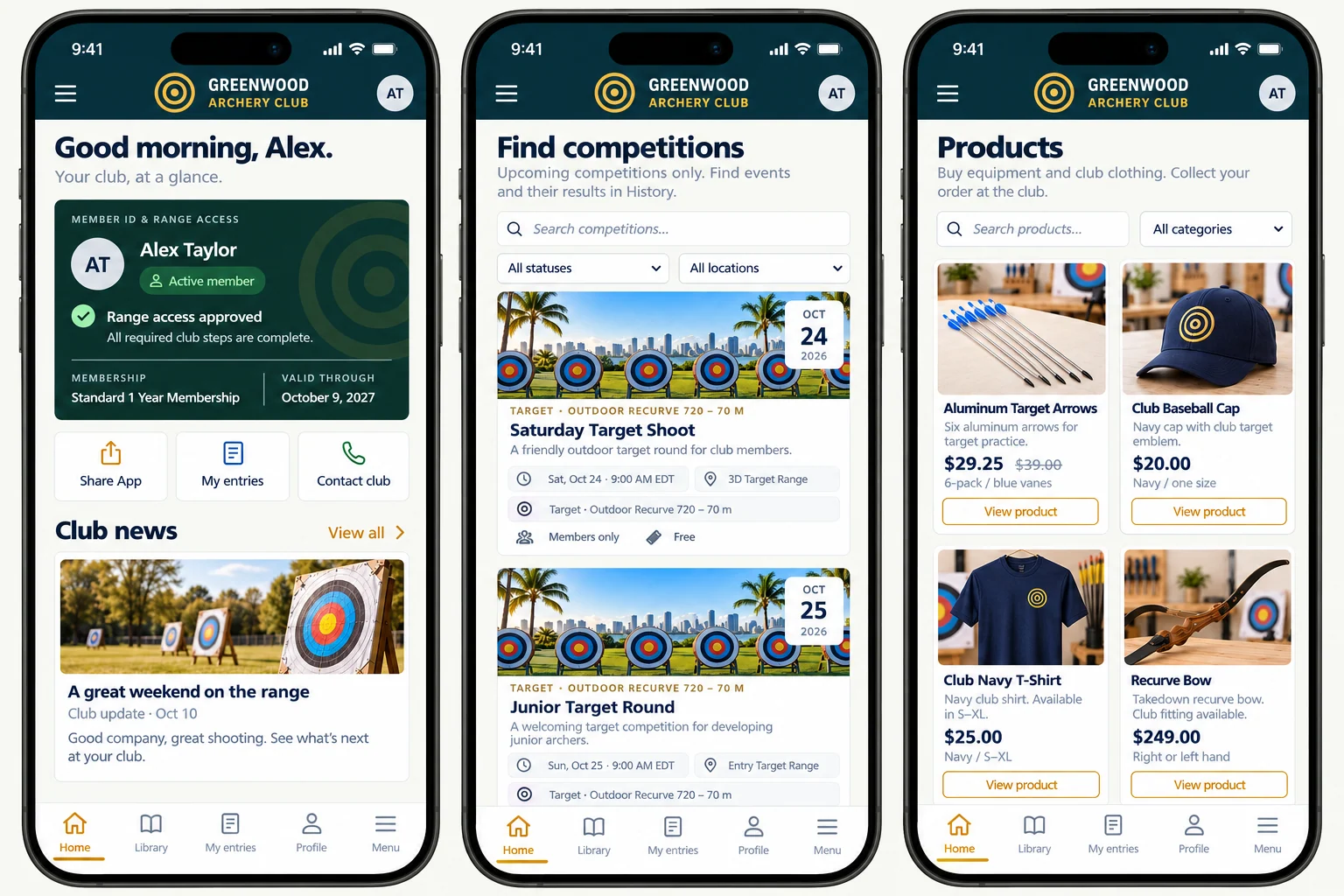
Made for archers and families
Members see their own club experience. Your team manages the records, offerings and permissions in Admin. The app turns those details into useful actions for archers and families.
Membership coverage, validity, remaining requirements and retained signed documents.
Club activities, coaching, programs, competitions and the information needed to join in.
Personal entries, scorecards, published results and a separate practice-progress record.
Give members a place to find their own answers, discover what your club offers and complete the steps they can handle themselves. Keep your team’s attention for the people and decisions that need it.

Membership, identity & family
The dashboard gives a member a personal starting point: membership information, current range-access status, club news and upcoming competitions. Membership & family adds the detail behind that overview, including coverage, dates, plan options and the next joining or renewal step.
When connected, the app checks current access status. An old or offline display is shown as unverified rather than treated as proof of current access. Physical gate or door control is a separate option with its own hardware and subscription.
See the membership plan, people covered, validity dates, payment state and available joining or renewal options.
Create or manage a household, review family invitations and use the linked-person workflows your account allows. Linking someone does not automatically extend membership coverage.
See remaining requirements such as payment, rules acceptance, waivers, application review or safety orientation, according to the club’s setup.
Find retained agreements and consent records, review signature details and view or download available signed PDFs. Each adult signs for themselves; a linked guardian can sign for a minor.
Calendar, coaching, programs & lessons
Help members discover the activities your club offers and understand the details before committing. Session times, locations, eligibility, prices and the club’s terms stay connected to the booking.
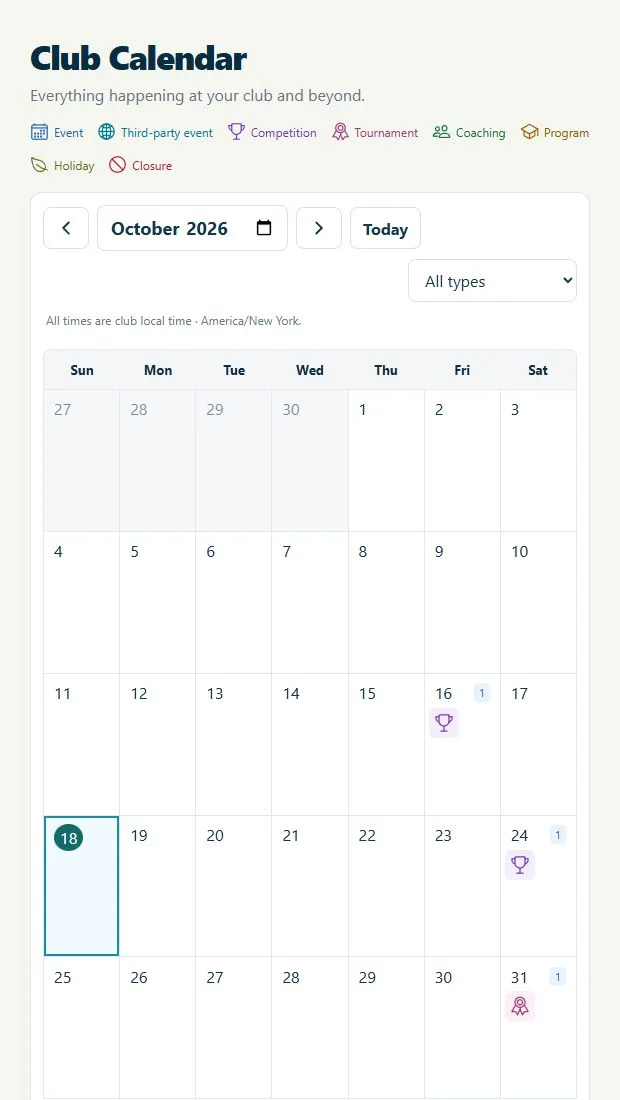
Browse competitions, tournaments, coaching and program sessions, plus published club events, outside events, holidays and closures. Open an entry for details and the available next-step link.
Find a single coaching session, check the instructor and skill level, and book an eligible place. Member prices, guest prices or included monthly coaching allowances follow the club’s event settings.
Enroll linked children in the available after-school programs or camps. Choose an enabled daily, weekly, monthly or full-program period and provide the required guardian, emergency and pickup details.
Select offered pickup or return arrangements and available equipment choices. Applicable charges and capacity rules are part of the program or event booking.
Browse the club’s bookable lessons and services, select an available time slot and the appropriate participant, and review the charge before checkout.
For eligible group and program bookings, successful payment updates the booking and triggers a live admission-pass email. Cancellation deadlines and refund handling follow the club’s rules.
For the archer, between visits and on the day
Competition participation and personal practice belong in the same member experience, with separate records for official event results and an archer’s editable practice.

Competitions & tournaments
Browse available competitions and tournaments, read event information and follow the entry requirements that apply to the participant.

My Progress
Record practice against the club’s defined fields, targets, distances and scoring setups, with the equipment used and the observations worth keeping.
Payments, purchases & bookings
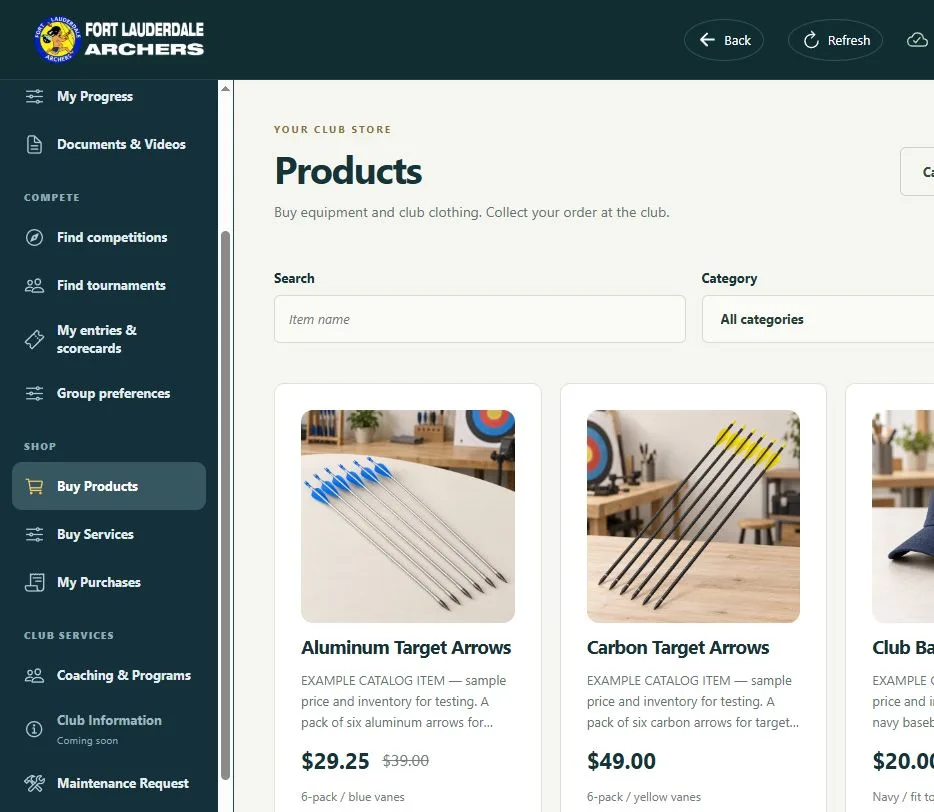
Payments are part of the wider club experience: membership joining and renewals, coaching, group events, programs, competitions, tournaments, lessons and services—as well as shop orders. The applicable workflow shows the club’s charge and links the payment to its membership, entry, booking or purchase.
The app subscription pays for access to the Members app. It does not include club membership dues, entry fees, coaching, programs or purchases. Activity prices, eligibility, cancellation terms and refunds are set or handled by the club.
Between one visit and the next
Club life continues between sessions. Give members places to find an update, revisit an agreement, learn something new or report an issue at the range.
Read published stories and announcements, access available newsletters and find the club’s published information and contact email.
Search the club’s resource library by subject or type. Open PDF documents, view images and watch linked YouTube videos. Public or member access follows the resource settings; downloads are available where enabled.
Return to the retained version of an agreement, see who signed and when, and open or download its available PDF. Updated agreements require a new signature.
When enabled, report a problem through the member request workflow and review your submitted requests, their status and any recorded resolution.
Keep the member profile and personal archery equipment information used by the available participation and practice workflows.
Send an app introduction and link by email from the dashboard, helping another person find the club experience.
The club controls its published content, activity offerings and account permissions. A member’s visible options follow that setup.
Phone, tablet or PC
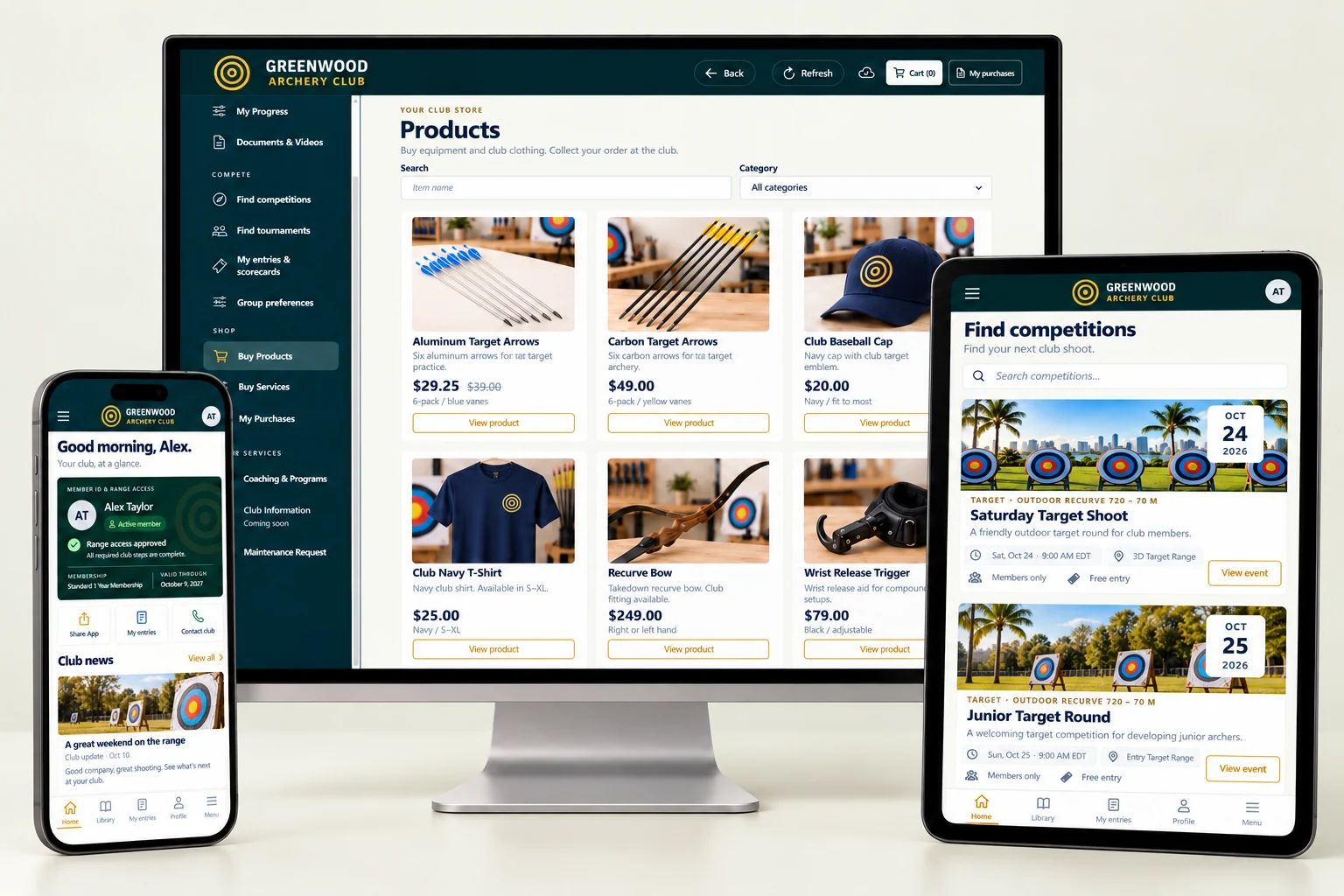
Open the Members app in a supported browser on a phone, tablet or computer. Where the device and browser support it, add the app to the home screen or desktop for convenient access.
Use a larger screen for browsing or reviewing information and keep the club close on a phone when heading to a session. These are Members app views; club administration has its own system.
An internet connection is needed for current information and actions such as access verification, payments and bookings. Supported scoring can queue offline; the entire app is not an offline service.
From the club’s setup to the member’s first visit
Everything starts with a real club. Your club requests Archery Manager, is verified before approval, and imports its members using our CSV template and detailed instructions. Free email support is included.
Follow the club’s app link, select the relevant club and use your member account. Follow the account-access instructions provided by the club.
Check coverage and validity, review available plans or renewal options, and complete any joining requirements that still apply.
Find a session, enter an event, browse the shop or open the club news. Save the app to a supported device for an easy return.
Already a member of a club using Archery Manager? Open the Members app
Choose the right plan
See member app subscriptions, club management plans, billing options and what is charged separately on our Pricing page.
The questions worth answering here
A connected member experience, with clear responsibilities and costs.
No. The Admin system is for managing the club. The Members app is for archers and families: membership, activities, entries, purchases, news and personal records. Account permissions and the club’s settings determine the available options.
No. Club membership dues, coaching, program enrollment, competition entries, lessons, services and purchases are separate from the app subscription. See the Pricing page for subscription options and billing details.
Linked parents and guardians can use the relevant family, registration, program and entry workflows for eligible minors. Each adult keeps their own sign-in and signs their own agreements. Creating a family account does not automatically extend membership coverage; coverage follows the club’s plan and recorded membership.
Members can review available membership or renewal options and use the relevant payment workflow. Online payments also cover eligible activities, entries, lesson and service bookings, and shop orders. The club determines the applicable prices and participation rules.
Yes. Members can use a supported browser on a phone, tablet or PC. Home-screen or desktop installation is available where the device and browser support it.
Supported score entries can queue on the device and synchronize when a connection returns. Current membership access verification, payments, bookings and other live information require a connection. The entire app is not available offline.
The dashboard shows verified current range-access status when connected. Physical gate or door control is a separate access-control option with hardware and an additional subscription; it is not included in the member app price.
The club needs to define its fields, targets, distances and scoring setups. The archer selects the relevant setup and equipment. Comparable progress graphs begin after at least three matching completed practices; personal practice remains separate from official competition results.
The club chooses what to offer, publish and enable. Available coaching, programs, products, services, resources and account options follow those settings and the member’s permissions.
Submit your club request. We verify the club and the requester’s authority before approval. Your club then imports members using our CSV template and detailed instructions. Free email support is included.
Give members more ways to be part of the club
Bring membership, participation and club information together with Archery Manager.